
Cart and checkout
Review your cart, confirm your address and complete the order. Your sales rep handles the rest.
Your cart
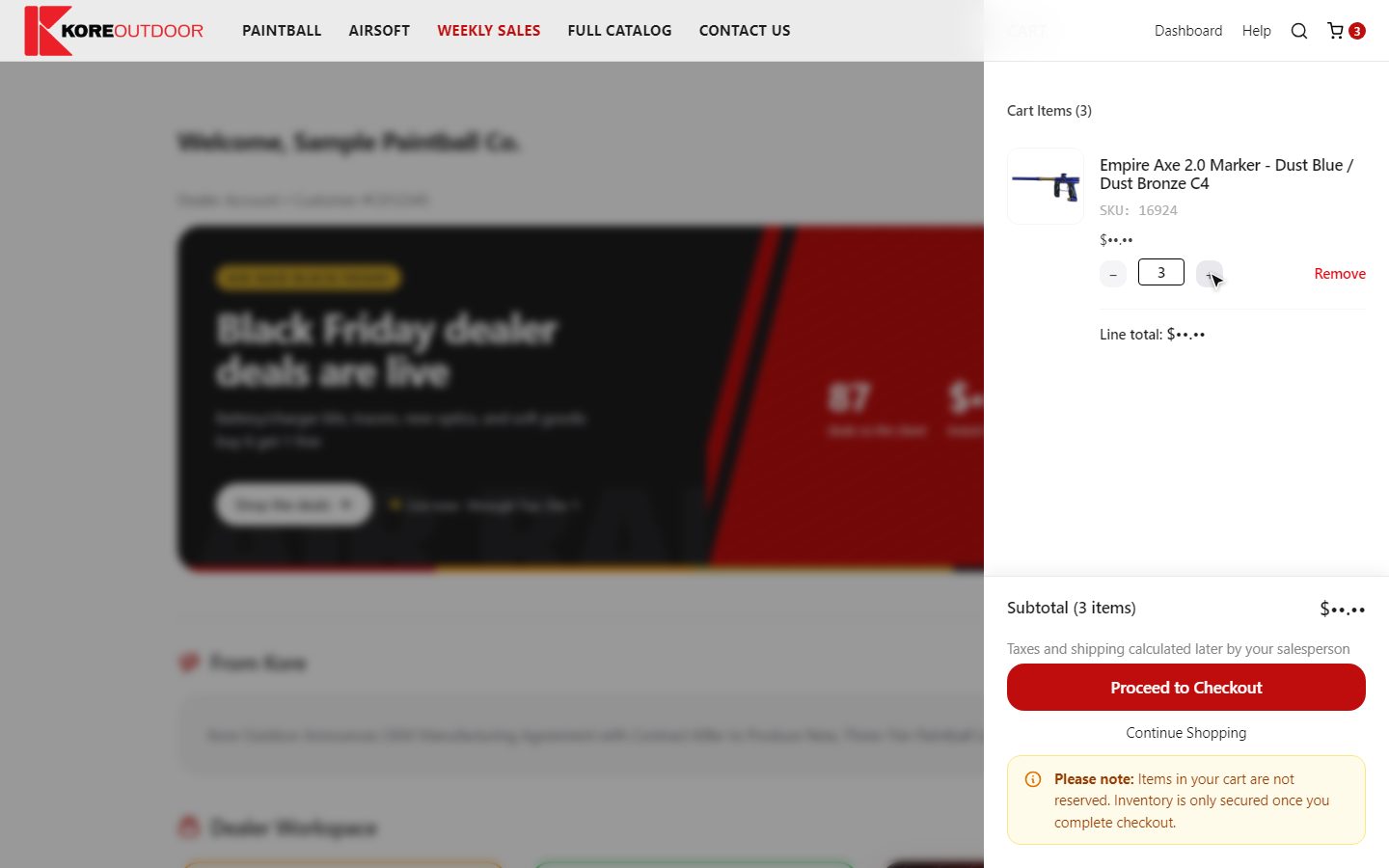
Select the cart icon at the top right to see what you’ve added. Change quantities or remove lines there. Your cart stays saved in this browser until you check out, so you can add to it over several visits.
Items in your cart aren’t reserved. Stock is only secured once you complete checkout.
Tip: Deal items from Weekly Sales are linked together. Removing one part of a deal removes the rest of it too.
Checking out
- Step 1: Open your cart and select Proceed to Checkout.
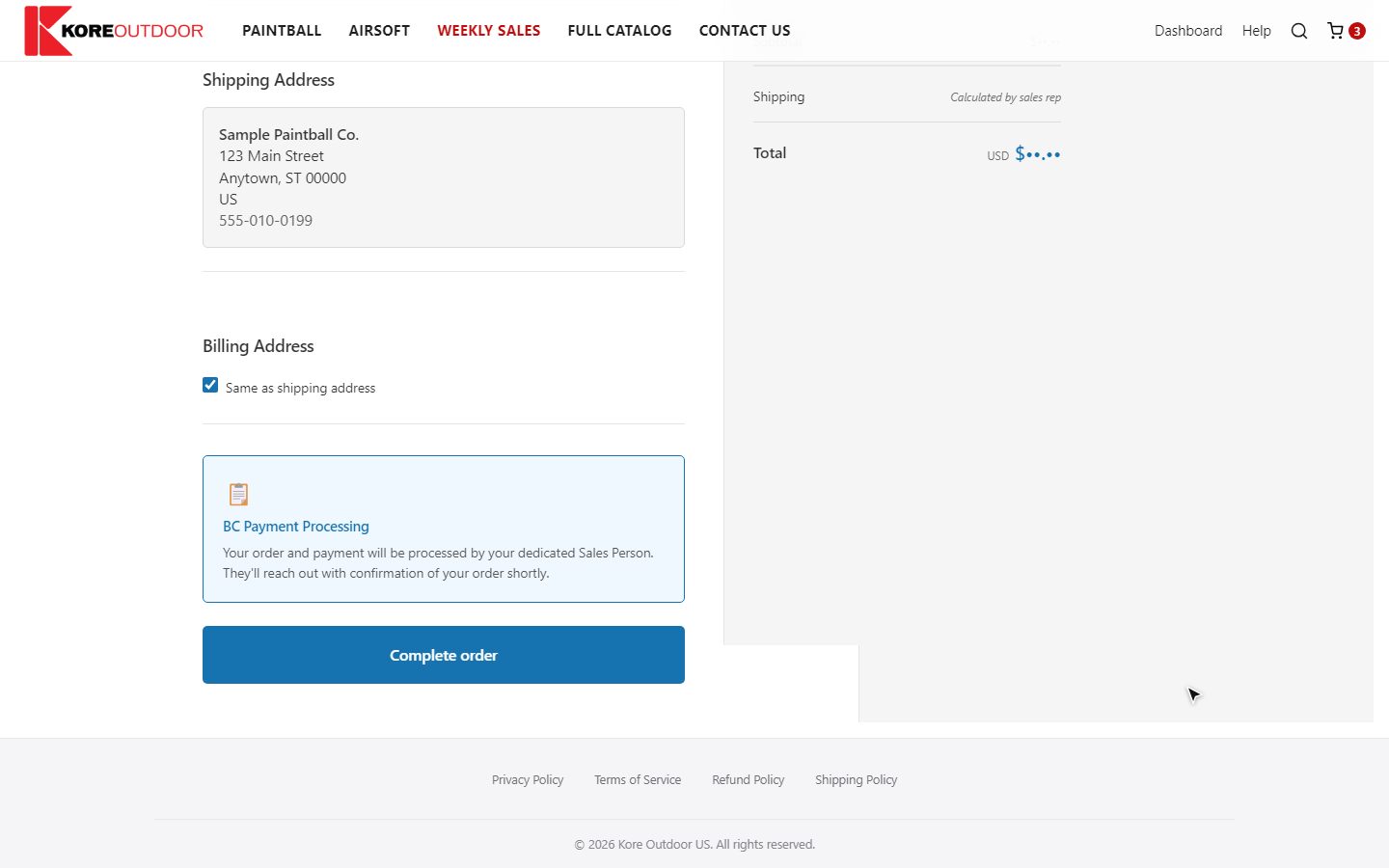
- Step 2: Check your shipping address. If it’s on file it’s filled in for you; otherwise enter it.
- Step 3: Add a discount code if you have one (see below), and review the order summary. Shipping is worked out by your sales rep, so it isn’t added yet.
- Step 4: Select Complete order. No card is needed: payment is arranged with your sales rep.
Discount codes
Type the code in the Discount code box in the order summary and select Apply. If it works, it appears as a tag and the discount shows in your total. Any automatic store discounts appear on their own.
- Weekly Sales prices are already in your cart, so you don’t need a code for them.
- Discount codes don’t apply to sale event items.
- If a code doesn’t work, you’ll see a short message. Check the spelling, or ask your sales rep.
What happens next
- You see Order Submitted Successfully, and you get a confirmation email with the order details.
- Your sales rep reviews the order and checks stock.
- You receive an invoice with payment instructions. Your sales rep will let you know when it ships.
You can follow your order on the Check Order Status page.
Still stuck? Contact the Kore team.